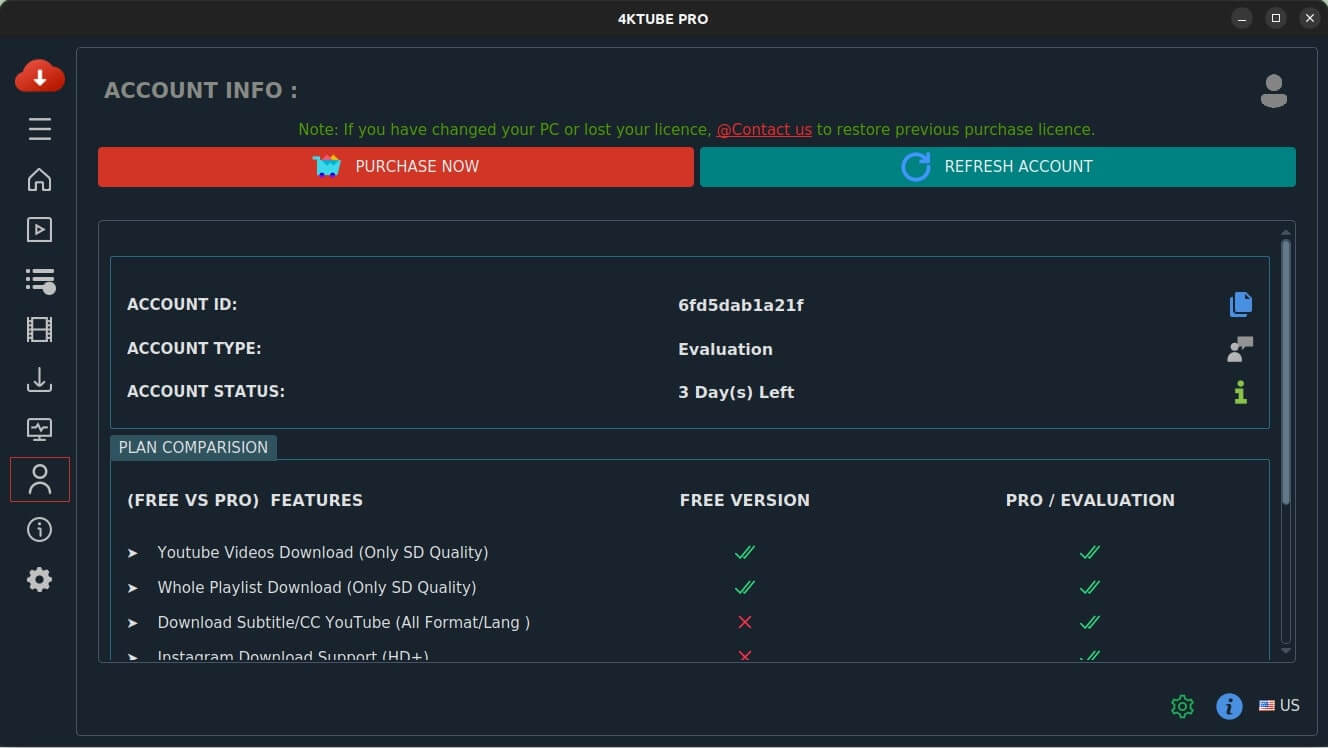
Open the Account section of your app
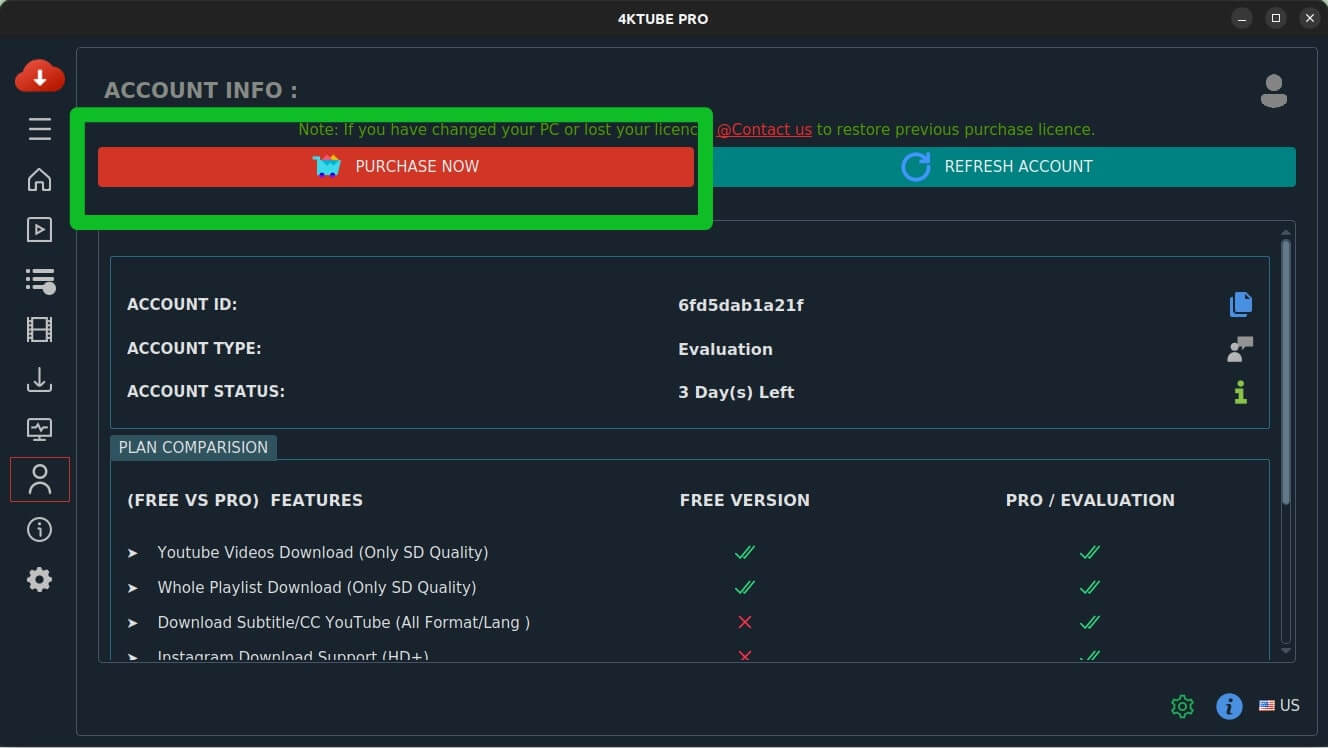
You'll see a Purchase Now button.
Signing in
There is no email and no password to remember. Your app creates an Account ID for you, and the app itself signs you in on this website when you need it.
You'll see a Purchase Now button.
Clicking this securely passes your Account ID to the website.
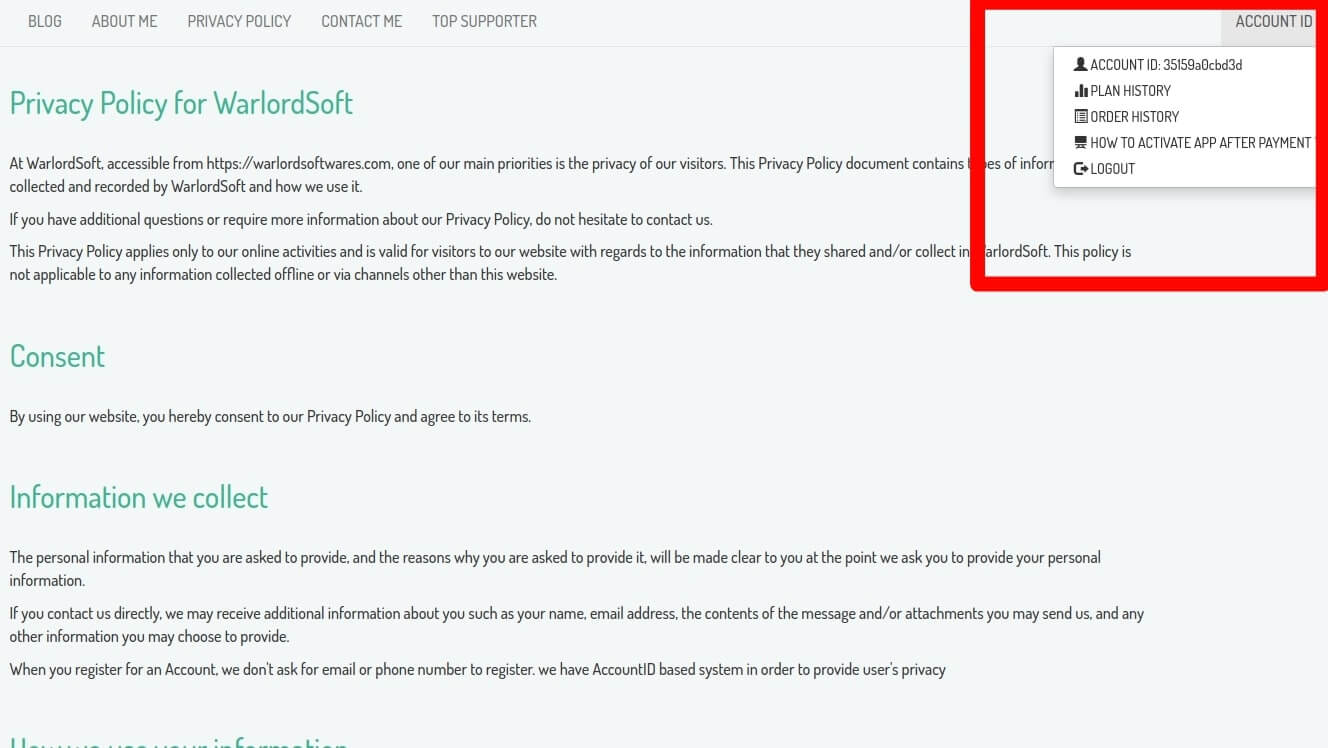
The page opens with your Account ID signed in. From there you can see your plan, your orders, and buy a licence if you want one.
Nothing to remember for next time. Repeat these steps whenever you need to get back in.