4KTUBE is a desktop YouTube downloader for Linux and Windows. Paste a link and save the video in up to 4K or 8K, pull an entire playlist, or extract the audio as MP3 — with no ads, no trackers, no browser extension, and nothing routed through a third-party website.
What 4KTUBE downloads
- Video up to 4K and 8K — the highest resolution a video actually offers, including 60fps and HDR sources, saved as MP4, WEBM or MKV.
- Whole playlists and channels — queue an entire playlist, or point it at a channel's uploads list, in one action.
- Audio only — extract high-bitrate MP3, M4A, WAV, FLAC or Opus when the video was never the point.
- Subtitles and closed captions — saved as separate
.srtfiles or burned into the video. - Multi-language audio tracks — pick the dubbed track you want instead of being stuck with the default.
- Shorts — saved as a normal MP4.
- Sign-in required videos — authenticate with your own account to fetch age-restricted or members-only videos you already have access to.
YouTube is the focus, but 4KTUBE also handles more than 1,400 other platforms, including Instagram, TikTok, Facebook, X, Twitch, Vimeo, Reddit, SoundCloud, Rumble and Odysee.
Installing 4KTUBE on Linux
Three ways in, so it works on essentially any modern distribution — Ubuntu, Debian, Fedora, Arch, Linux Mint, Pop!_OS and the rest. You do not need to match a specific version; the package carries its own dependencies.
From the Snap Store:
sudo snap install 4ktubeFrom Flathub:
flatpak install flathub com.warlordsoftwares.youtube-downloader-4ktubeOr as a portable AppImage, downloadable from the project's latest release — no installation, no package manager, just make it executable and run it.
The Snap and Flatpak builds run confined: the app reaches your downloads folder and the network and nothing else unless you grant it. That is worth knowing before you install anything that talks to the internet for you.
Installing on Windows
Windows 10 and 11, 64-bit. The installer comes from the project's releases page, and the download button at the top of this page always points at the latest build rather than one frozen version.
How to download a YouTube video in 4K
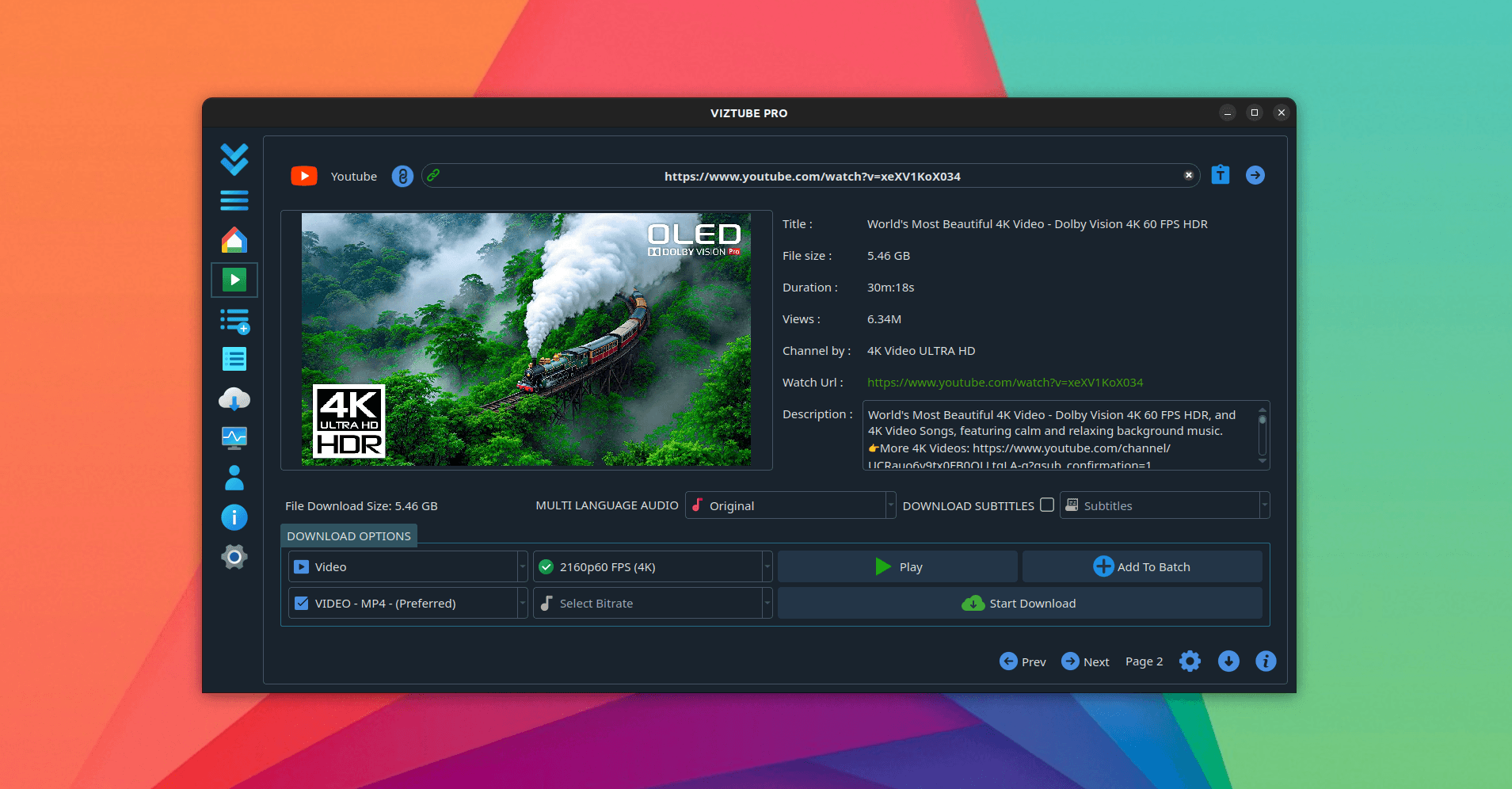
- Copy the video URL, or use the search box inside the app — 4KTUBE has YouTube search built in, with regional results, so you can find something without opening a browser.
- Paste the link. The available streams are read from the source and listed for you, so you are choosing from what genuinely exists for that upload rather than from a promise.
- Pick the resolution and container, and whether you want subtitles, a particular audio track, or audio only.
- Start the download. Several run in parallel, and the batch list shows what has finished and what is still going.
To convert a video to MP3, switch the output to audio and choose MP3, FLAC, M4A or Opus. Only the audio track is saved — the video is never kept.
Streaming without downloading
Not everything needs saving. 4KTUBE can play a video inside the app with no pre-roll advertising, and the stream quality is set in the app's own settings. It is a reasonable way to watch something once without adding it to a downloads folder you will never tidy.
System requirements
- Linux — Ubuntu 20.04+, Debian 11+, Fedora 36+, Arch, or any distribution that runs Flatpak, Snap or AppImage
- Windows — Windows 10 or 11, 64-bit
- Architecture — x86_64, 4 GB RAM
- Network — broadband recommended for 4K and 8K downloads
How it compares to online downloaders
Most people arrive here after trying something else. Online downloader sites bury the real button among fake ones, cap quality at 720p or 1080p, and pass your links through their servers. Browser extensions get pulled from the stores and break whenever YouTube changes. Command-line tools like yt-dlp are excellent but flag-driven. Paid Windows downloaders are Windows-first and sold by subscription.
4KTUBE runs locally with no quality cap, gives you a real interface with a queue and in-app search, treats Linux as a first-class platform, and is a one-time purchase.
Frequently asked questions
Is 4KTUBE free?
It is free to download and use. A one-time Pro upgrade removes limits and unlocks the full feature set — there is no subscription. See plans and pricing.
Can it really download 4K and 8K video?
Yes, when the source was published at that resolution. 4KTUBE lists every available stream and lets you pick the highest one.
Does it work offline?
Activation needs a connection once. After that the app works offline, apart from the parts that are inherently online — downloading and streaming.
Does it contain ads, trackers or bundled software?
No. It ships from Flathub, the Snap Store and signed release builds with no advertising, no analytics and no bundled installers.
Is 4KTUBE open source?
No. 4KTUBE is a proprietary desktop application. The public repository hosts the releases, packaging metadata, issue tracker and documentation rather than the application source.
What happens if I reinstall my system?
The Pro licence is tied to an Account ID the app generates on first launch, not to your hardware. Sign in with that ID, or use the restore page, and the licence comes back.
Related write-ups
4KTUBE is the YouTube specialist, tuned for maximum resolution. If you want the widest possible site coverage instead, read the DL-YouTube write-up — it covers more than 1,400 platforms. To convert what you have downloaded into another format, see FormatLab.